How to use Claude Code skills for SEO analysis with Google Search Console data

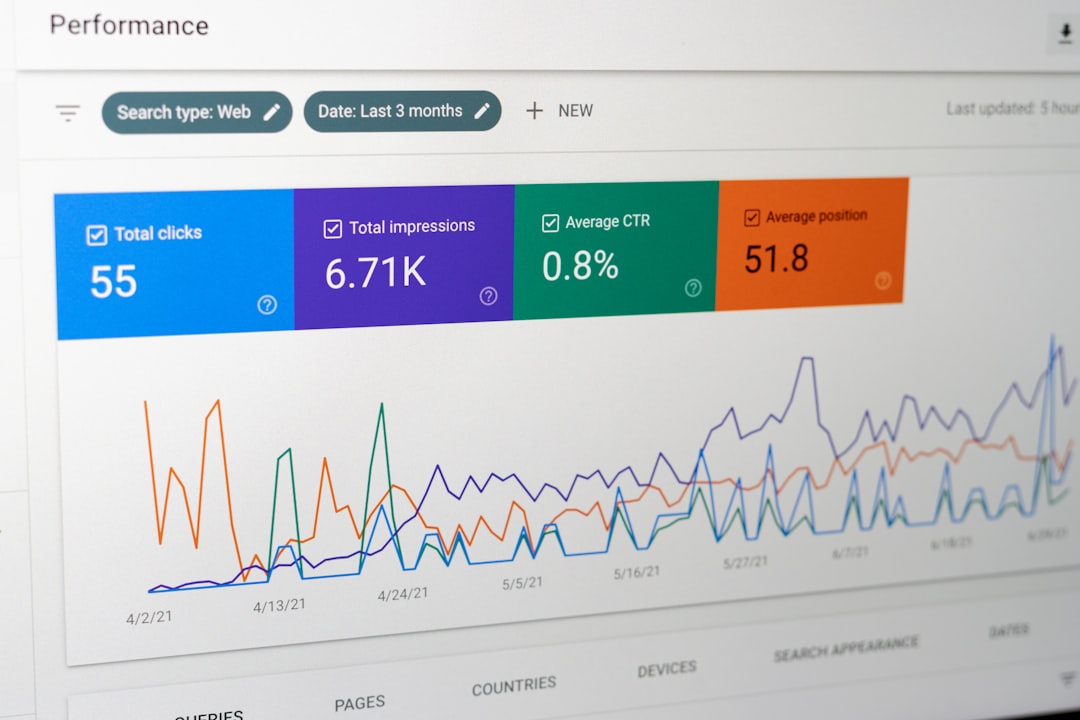
Problem
When I tried to use AI for SEO analysis, I kept getting generic suggestions that didn’t match my actual website issues. The AI tools would recommend things like “improve your meta descriptions” without knowing which pages actually had problems or what queries those pages ranked for.
I realized the core issue: most AI SEO tools lack two critical pieces of context:
- Real search performance data from Google Search Console
- Access to the actual codebase (HTML templates, structured data, sitemap configuration)
Without these, AI recommendations are basically guesswork.
Environment
- Claude Code CLI
- Python 3.8+
- Google Search Console API access
- Toprank skill (or custom skill setup)
What happened?
I manage a tech blog with about 200 pages. Every month, I manually checked Google Search Console, exported data to CSV, then tried to correlate low-CTR pages with potential issues. This took hours and I often missed technical problems.
I tried using general AI tools to analyze my site:
> Can you check my website SEO?
AI: I recommend improving your page titles, adding meta descriptions, and ensuring proper heading structure.
This was useless. The AI didn’t know:
- Which pages had 0.5% CTR vs 5% CTR
- What queries each page ranked for
- Whether my title tags were already optimized
- If structured data was missing
I needed something that could see both the search data AND the code.
How to solve it?
I discovered Claude Code skills - a system where you create slash commands as Markdown files. The key insight from a Reddit discussion was: “The ‘inside the repo + real data’ combo is the important part.”
Here’s how I set it up.
Step 1: Set up Google Search Console API
First, I installed the searchconsole Python package:
pip install searchconsoleThen I created API credentials through Google Cloud Console and saved them:
client_secrets.json # OAuth client configcredentials.json # Generated after first authI wrote a script to fetch the data:
import searchconsoleimport jsonimport sys
def fetch_gsc_data(days=90):    account = searchconsole.authenticate(        client_config='client_secrets.json',        credentials='credentials.json'    )
    webproperty = account['https://www.example.com/']
    report = (        webproperty.query        .range('today', days=-days)        .dimension('query', 'page')        .search_type('web')        .get()    )
    # Filter low CTR pages    low_ctr_pages = []    for row in report.rows:        if row.ctr < 0.02:  # Less than 2% CTR            low_ctr_pages.append({                'query': row.keys[0],                'page': row.keys[1],                'clicks': row.clicks,                'impressions': row.impressions,                'ctr': row.ctr            })
    return low_ctr_pages
if __name__ == '__main__':    days = int(sys.argv[1]) if len(sys.argv) > 1 else 90    data = fetch_gsc_data(days)    print(json.dumps(data, indent=2))
When I ran this:
python scripts/fetch_gsc.py 90I got real data:
[ { "query": "python async tutorial", "page": "/posts/python-async", "clicks": 12, "impressions": 2400, "ctr": 0.005 }, { "query": "docker compose networking", "page": "/posts/docker-network", "clicks": 8, "impressions": 1600, "ctr": 0.005 }]Now I had actual problem pages with their ranking queries.
Step 2: Create the Claude Code Skill
I created a skill file in my project’s .claude/skills/ directory:
---description: Analyze SEO with Search Console dataallowed-tools: Read, Write, Bashargument-hint: [days]---
!`python scripts/fetch_gsc.py --days $1`
For each page with CTR < 2% from the output above:  - Read the HTML template for that page  - Check if the meta description exists and is between 120-160 characters  - Verify the page title includes the ranking query  - Check if structured data (JSON-LD) is present  - Suggest specific improvements with exact code changes
The skill works by:
- Running the fetch script to get Search Console data
- For each low-CTR page, reading the actual HTML/template files
- Analyzing specific issues based on real query data
Step 3: Run the Analysis
I invoked the skill from Claude Code:
/seo-analysis 90Claude fetched 90 days of data, then analyzed each problem page. For the /posts/python-async page ranking for “python async tutorial”, it found:
Issue: Page title is "Async Programming in Python"Ranking query: "python async tutorial"Recommendation: Change title to "Python Async Tutorial: Complete Guide"
Issue: Meta description is 85 characters (too short)Current: "Learn async programming in Python with examples."Recommendation: Expand to include the tutorial keyword and benefits
Issue: No JSON-LD structured data for Article schemaRecommendation: Add Article structured data with headline, author, datePublished
It then provided exact code changes:
<head>  <title>Python Async Tutorial: Complete Guide</title>  <meta name="description" content="Python async tutorial with practical examples. Learn asyncio, async/await syntax, and concurrent programming patterns.">
  <script type="application/ld+json">  {    "@context": "https://schema.org",    "@type": "Article",    "headline": "Python Async Tutorial: Complete Guide",    "author": {      "@type": "Person",      "name": "Author Name"    },    "datePublished": "2026-03-15"  }  </script></head>
The reason
The key difference from generic AI SEO tools:
Grounded Recommendations: Every suggestion is tied to actual search data. Claude knows the page ranks for “python async tutorial” with 0.5% CTR, so it suggests specific title/meta improvements that match that query.
Direct Fix Capability: Claude Code can edit files directly. After analysis, I approved the changes and they were applied to my templates.
Codebase Context: Claude sees my HTML structure, existing meta tags, sitemap configuration - not just generic SEO advice.
Common Mistakes I Avoided
Before this approach, I made these mistakes:
Mistake 1: Manual analysis took too long I exported CSVs and manually correlated data. Now the skill does this in seconds.
Mistake 2: Generic AI suggestions were useless AI without data gave generic advice like “improve titles” without knowing which titles.
Mistake 3: Reactive monitoring
I only checked SEO when traffic dropped. Now I can run /seo-analysis 30 monthly to catch issues early.
Mistake 4: Ignoring technical SEO I focused on content but missed structured data, sitemap issues, and meta tag problems.
Summary
In this post, I demonstrated how to use Claude Code skills with Google Search Console API for technical SEO analysis. The key point is combining real search performance data with codebase access - this transforms AI SEO from guesswork into grounded, actionable recommendations.
Final Words + More Resources
My intention with this article was to help others share my knowledge and experience. If you want to contact me, you can contact by email: Email me
Here are also the most important links from this article along with some further resources that will help you in this scope:
Oh, and if you found these resources useful, don’t forget to support me by starring the repo on GitHub!
Comments