How to use uv in pycharm?

1. Purpose
In this post, I will demonstrate how to solve the following error when using uv in pycharm.
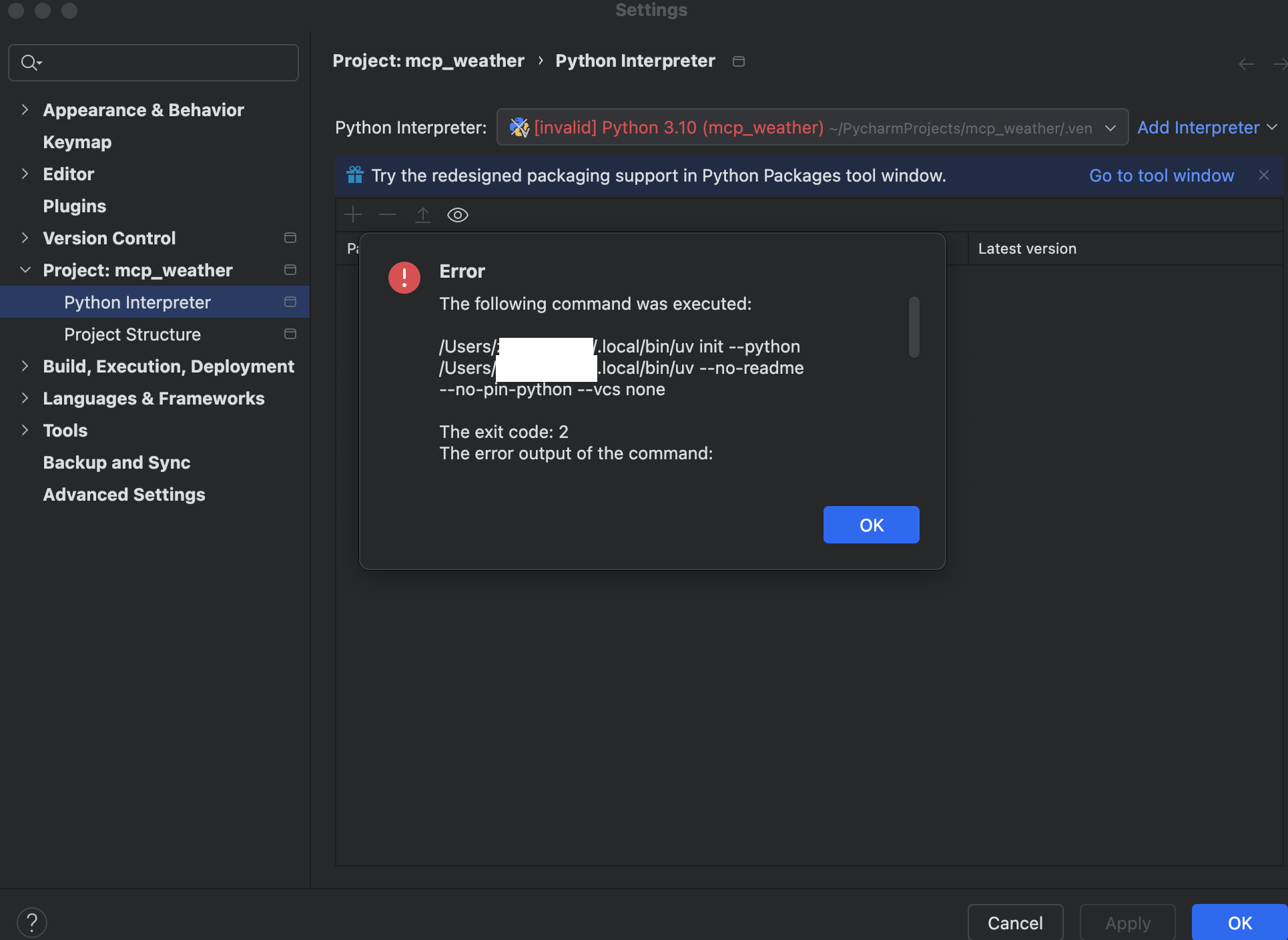
When I’m trying to use uv in my pycharm project, I got following error:
The following command was executed: /Users/zzz/.local/bin/uv init --python /Users/zzz/.local/bin/uv --no-readme --no-pin-python --vcs none The exit code: 2 The error output of the command: error: Failed to inspect Python interpreter from provided path at `/Users/zzz/.local/bin/uv` Caused by: Querying Python at `/Users/zzz/.local/bin/uv` failed with exit status exit status: 2 [stderr] error: unexpected argument '-I' found Usage: uv [OPTIONS] For more information, try '--help'.Just as the following picture shows:
2. The Solution
2.1 What is uv?
uv is an fast Python package and project manager, written in Rust. It’s 100x faster then pip.
And aside from managing packages in python,
it also support project management, like creating a python project, manage multiple python versions on your system etc.
2.2 How to install uv?
Install uv with the standalone installers:
# On macOS and Linux.curl -LsSf https://astral.sh/uv/install.sh | sh
# On Windows.powershell -ExecutionPolicy ByPass -c "irm https://astral.sh/uv/install.ps1 | iex"
Or, from PyPI:
# With pip.pip install uv# Or pipx.pipx install uvIf installed via the standalone installer, uv can update itself to the latest version:
uv self updateSee the installation documentation for details and alternative installation methods.
2.3 How to solve the error in pycharm?
To solve the problem , I tried to start the project from scratch.
Step1: create the project as follows:
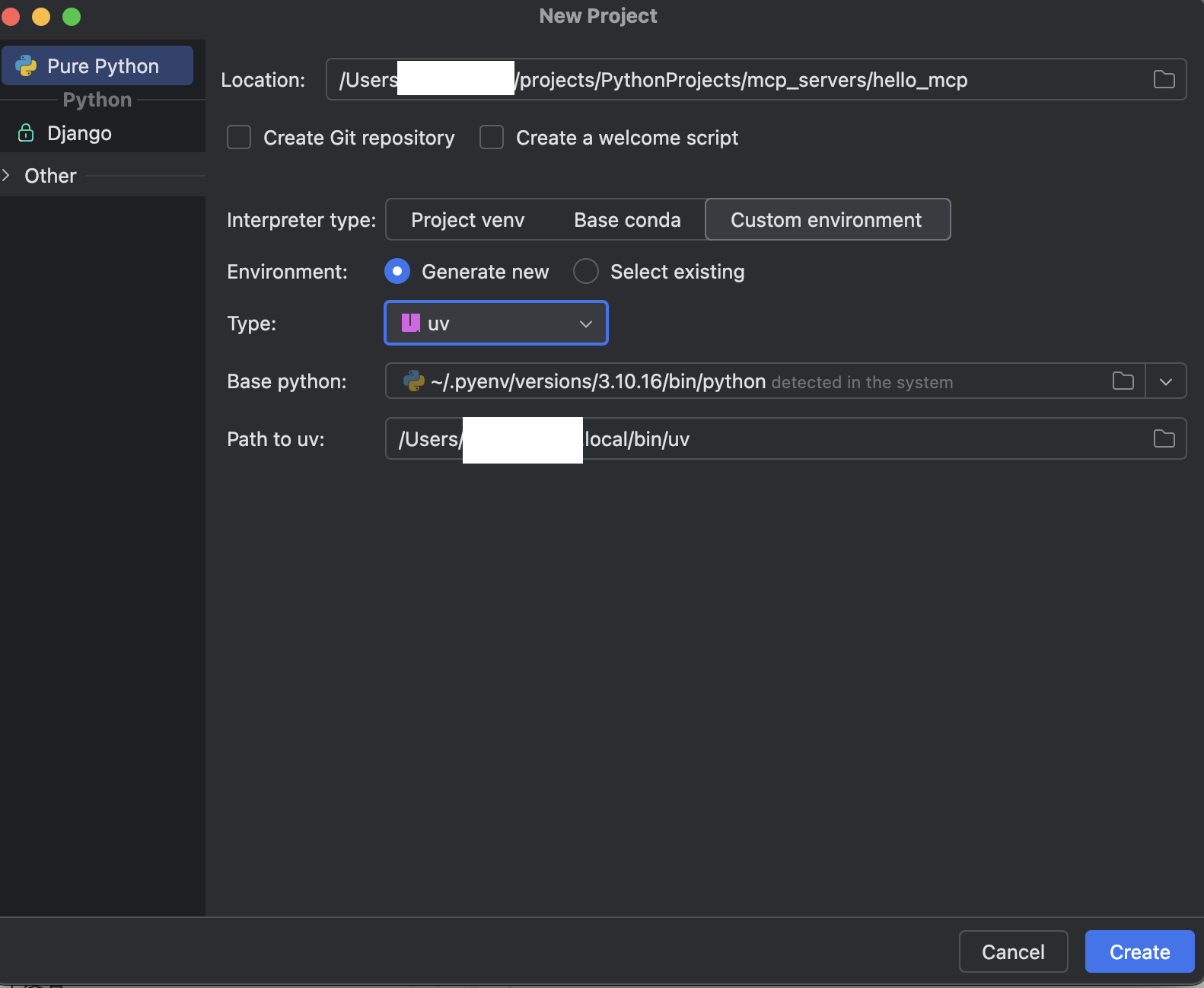 Just as the above picture shows, make sure to choose custom env and select create new menu, and choose the type
 uv.
Step2: Confirm to create the uv project
pycharm will use uv to create the project, we can see the pyenv.cfg file in the project’s root directory:
home = /Users/zzz/.pyenv/versions/3.10.16/binimplementation = CPythonuv = 0.6.9version_info = 3.10.16include-system-site-packages = falseprompt = hello_mcpYou can see that uv has created the pycharm project, and has created a virtual env for us.
Now it works!
3. Summary
In this post, I demonstrated how to install uv and use uv in pycharm. That’s it, thanks for your reading.
Final Words + More Resources
My intention with this article was to help others share my knowledge and experience. If you want to contact me, you can contact by email: Email me
Here are also the most important links from this article along with some further resources that will help you in this scope:
Oh, and if you found these resources useful, don’t forget to support me by starring the repo on GitHub!
Comments